Hello everyone. Over the New Year holiday, I built gpui-ghostty. It works as follows:
- It uses Ghostty's terminal core, libghostty-vt, for VT parsing and state management.
- It uses Zed's GPUI for the UI renderer.
This library enables you to embed a Ghostty-powered terminal within any GPUI-based application. For example, consider one of my product's MVPs:
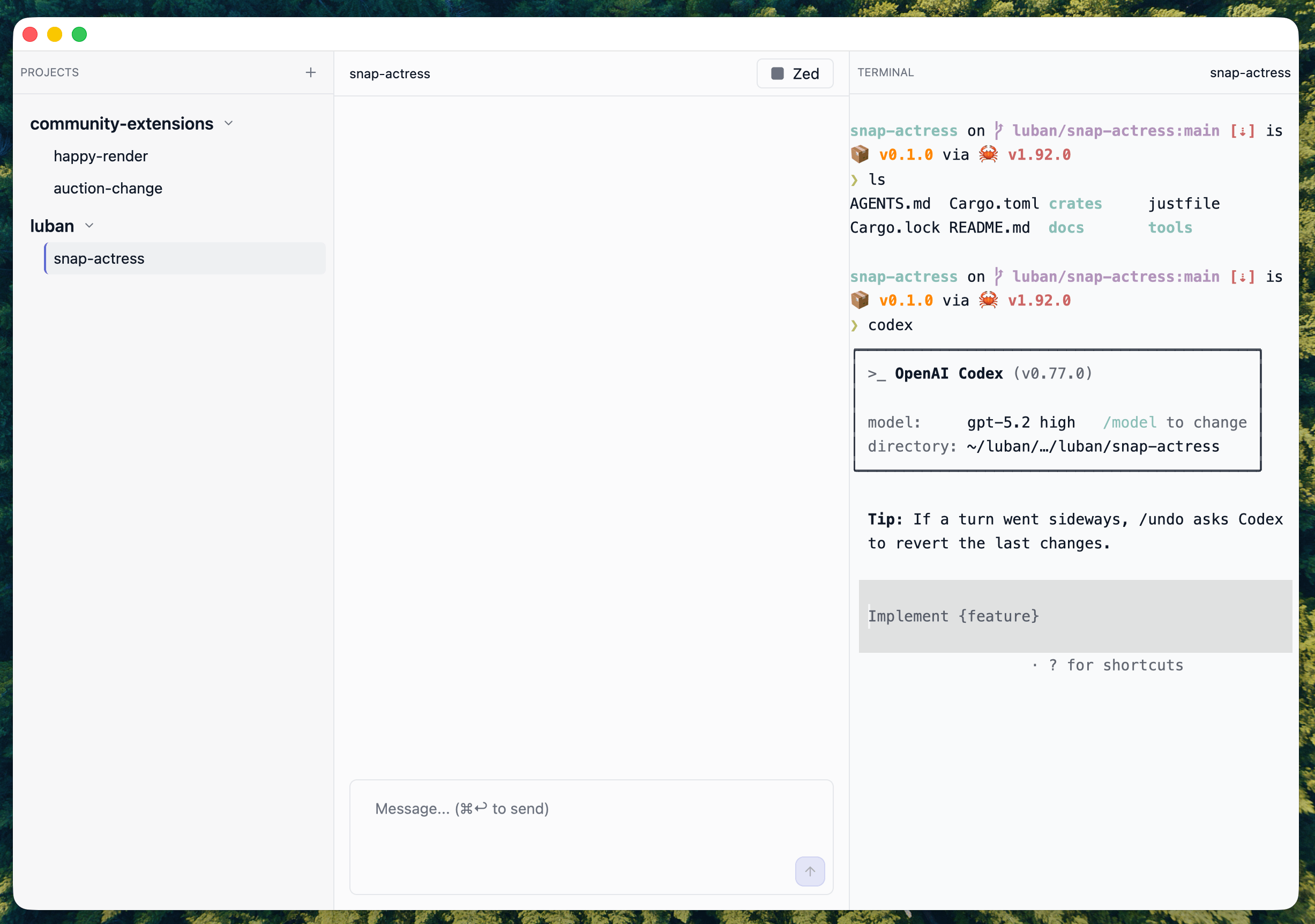
You can embed Ghostty anywhere you want, and it can share the same theme and style with your own applications.
Why build it?
I want this because I’m currently building my own IDE called Luban (鲁班). I’d like it to have an integrated terminal so I can run and test commands without opening a separate terminal window.
You might wonder why I’m building this when there are already many existing solutions:
- alacritty_terminal (Zed uses this for their terminal)
- wezterm-term
- You could even start xterm instead of a web wrapper
To be honest, I haven’t done deep research on this. I’m a happy user of Ghostty and want to keep using it. Another reason is that I personally trust Mitchell and believe in Ghostty’s vision. I have a feeling Ghostty might last longer because its author has three commas in his pocket.
How to build?
I'm just a regular user who knows nothing about the terminal. I couldn't even tell the difference between a tty and a terminal before I built gpui-ghostty, and I bet I'll forget it again in a week.
Here's how I built gpui-ghostty.
I discussed the idea with ChatGPT (using the 5.2 Thinking with extended thinking). I asked about everything I wanted to know. Here are some questions I found meaningful:
- How do others embed a terminal inside applications?
- What are the differences between Alacritty, WezTerm, and Ghostty?
- What are the differences between Alacritty, WezTerm, and Ghostty as embedded terminals?
- What is VT? What is the difference between libghostty and libghostty-vt?
- I want to integrate Ghostty under GPUI. How can I do that?
- How much money does Mitchell Hashimoto have?
After that, I asked ChatGPT to generate a full spec for me. The spec includes the project's goals, key technical decisions (such as using GPUI and libghostty-vt), and project milestones. I reviewed and edited the spec.
Then, I provided Codex (using gpt-5.2-high) with this spec and the following instructions:
First, create ROADMAP.md based on the input document, and continuously track and update ROADMAP.md until the task is completed.

- In ROADMAP.md, maintain three sections: Agent Work, User Work, and Future Work.
- Agent Work lists the tasks you have completed and those still pending. User Work includes tasks the user may think of temporarily. Future Work covers tasks we have planned.
- You may only add tasks in Agent Work to maintain your understanding of task completion. When all Agent Work is finished, look for the next task in User Work and complete it. After that, proceed to Future Work.
- Based on your understanding of the codebase, perform refactoring as needed to better comprehend the project and maintain a clean code structure.
- You are currently working on the main branch. You may perform git commits and push to the remote repository whenever necessary.
- Do not ask me any questions. Continue working until the predefined ROADMAP.md is fully completed.
- Write these requirements into AGENTS.md and ensure they are checked each time the agent is loaded.
Instead of setting up hooks or skills, I simply put a ton of the same message in the queue:
Read AGENTS.md and ROADMAP.md, then proceed.After that, I went to sleep. The next day, Codex declared that they had finished all the work, so I started testing. I wrote down every bug I found in the same thread and asked Codex to fix them.
At first, it didn't work at all. The demo terminal could appear, but almost nothing was correct. I found bugs in every feature: CTRL+C didn't work, selection copy didn't work, the scrollbar didn't work, and more.
That day was movie day with my wife. We watched about four movies and several TV shows. Between each episode or movie, I walked to my laptop and started a new round of testing. The main commands I used for testing were codex and htop.
Starting from a single point, the demo terminal works impressively well.
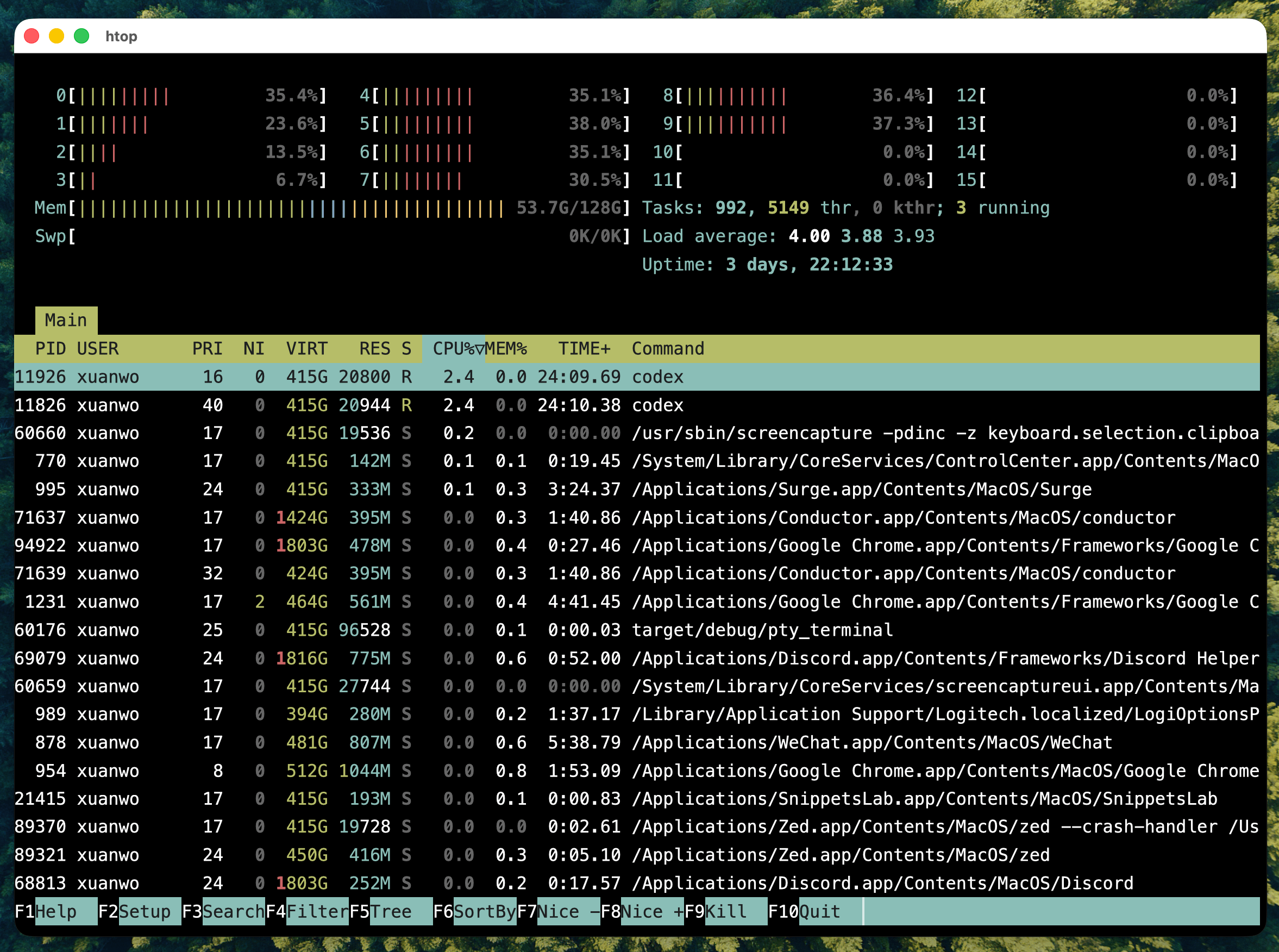
Well, I’m so happy to see htop works so nicely. Starting from this point, the demo looks more and more polished. More features become complete, and more OSC options are supported. Then I realize: I really built it without writing a single line of code.
Looking back on this journey, my takeaway is this:
I was the key to this project, even though I watched four movies that day (I didn’t finish one because it was too boring). I set the project’s goals and made the key technical decisions. I was also in the loop to give Codex feedback on the product, continuously testing and polishing its behavior. The only thing left was the actual coding work.
That's my new skill!
What's next?
gpui-ghostty is now open source at https://github.com/Xuanwo/gpui-ghostty. It is licensed under Apache 2.0 as usual. I will continue to polish it and integrate it with my Luban IDE. At the same time, you are free to reuse my work under the Apache 2.0 license and make your own changes.
That's all. Happy New Year, and happy building!